

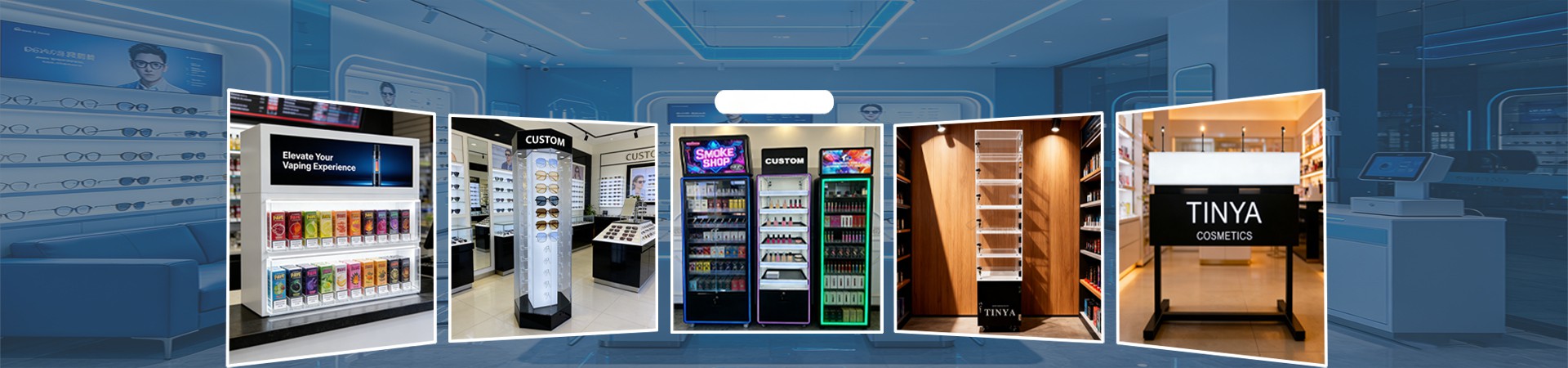

A phone accessories store may sell many different charging cables.
Some cables use USB-C connectors. Others use Lightning or other connectors. They may also have different lengths, colors, and charging functions.
When all these products are placed together, customers may find it difficult to choose the right cable.
A USB cable display rack helps stores keep cables organized and easy to find.
For phone accessory brands, distributors, and retail chains, a good display can also make product refilling easier and help keep the brand image consistent.
This guide explains how to choose the right USB cable display rack for your retail store.
What Is a USB Cable Display Rack?
A USB cable display rack is a retail fixture designed to hold and show charging cables and data cables.
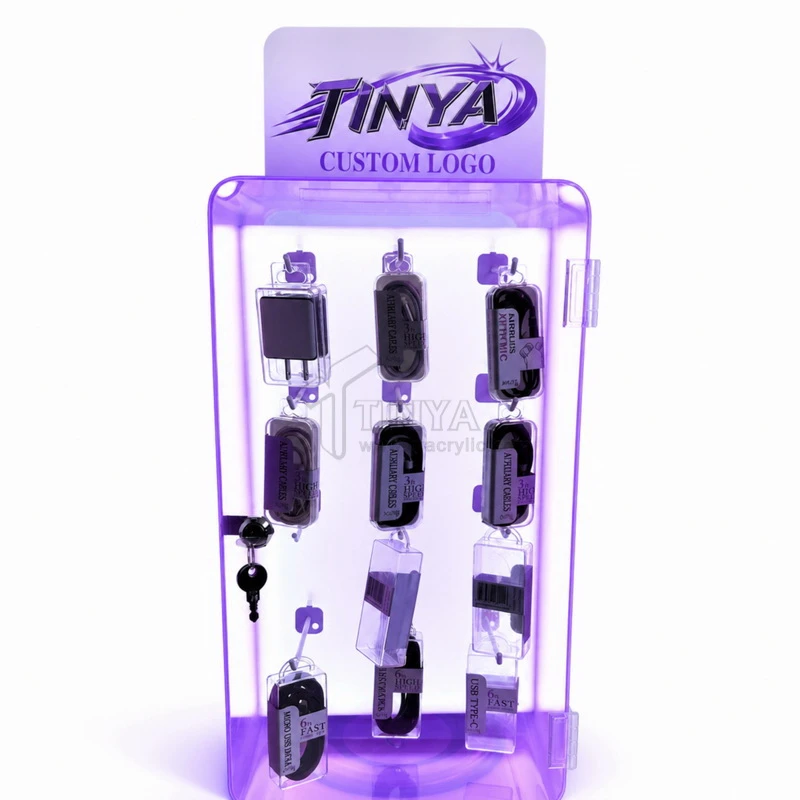
It may use metal hooks, acrylic shelves, cable clips, or product holders.
Some racks show cables inside retail packages. Others hold sample cables that customers can touch and compare.
The rack may sit on a counter, stand on the floor, or attach to a wall.
Acrylic is often used for the main panels, base, and logo area.
For larger displays, acrylic can also be combined with metal supports.
The best structure depends on the number of cables and how they are sold.

Why Do Charging Cables Need a Special Display?
Charging cables look similar, but they are not always the same.
A customer may need a USB-C cable for a phone, a longer cable for a tablet, or a cable that supports a certain charging speed.
If products are mixed together, customers may pick the wrong one.
A well-planned charging cable display rack can separate products by connector type, length, or function.
For example, a store can place USB-C cables on one side and other cable types on the opposite side.
Clear labels can help customers find what they need.
This is useful for phone shops, electronics stores, supermarkets, and convenience stores.
1. Choose the Right Display Structure
Different stores need different cable display designs.
A small repair shop may only need a compact countertop stand.
A phone accessories store with many products may prefer a taller rack.
For products sold in hanging packages, a peg hook display is often practical.
For loose sample cables, clips or fixed holders may be a better choice.
Before choosing the structure, think about whether customers need to buy packaged products or test sample cables.
These two shopping needs may require different display layouts.
A simple structure is often easier for staff to refill and maintain.
2. Organize Cables by Connector Type
Customers usually know which connector they need.
This means connector type is a useful way to organize a display.
Use clear signs for USB-C, Lightning, and other cable types.
You can also create smaller sections for different cable lengths.
For example, one row may show one-meter cables, while another row holds two-meter cables.
If cables have different charging or data speeds, use clear labels based on the real product information.
Do not mix cables with very different functions under one unclear sign.
Good product grouping makes the display easier to use.
3. Calculate the Number of Hooks
A USB cable display rack should have enough room for the products without looking crowded.
The capacity depends on the number of hooks and how many packages each hook can safely hold.
For example, imagine a display with 15 hooks.
If each hook holds six cable packages, the total capacity would be 90 packages.
This is only a planning example.
The real capacity depends on package size, product weight, hook length, and the structure of the rack.
Buyers should test the display with real packages before placing a bulk order.
It is also useful to leave space between different cable groups.
4. Make Products Easy to Refill
Retail workers may need to add new products every day.
A good display should make this process simple.
For a hook display, staff should be able to remove empty packages and add new stock without moving other products.
Acrylic dividers or label holders can help separate different cable types.
If the product collection changes often, adjustable or removable hooks may be useful.
Replaceable product labels can also make future updates easier.
For retail chains, a simple refill process is important because many stores may use the same display design.
The display should save work for employees, not create more work.
5. Add Branding Without Hiding Products
A custom cable display rack can show a company logo and brand colors.
The logo is often placed on the top panel or front of the base.
A clear acrylic body can keep the product packages visible.
Black or white panels may create a stronger contrast with colorful packaging.
For a large branded project, the manufacturer can also add a printed information panel.
However, avoid placing too much text on the display.
Customers should quickly understand what the product is and where to find the cable they need.
Simple branding often works better than a crowded design.

6. Think About Security and Product Testing
Some electronics stores allow customers to touch and test cable samples.
Other stores prefer to sell only sealed packages.
A sample display may need clips, security tethers, or special holders to keep products in place.
A rack for packaged cables may only need hooks.
The right security method depends on the store.
If customers test a live charging cable, the electrical setup must be checked separately.
Cable ends should not be damaged, and the display should not bend cables too sharply.
A custom acrylic stand can support sample cables, but the power system must use suitable components.
7. Plan for Shipping and Store Installation
For wholesalers and retail chains, shipping is part of the display project.
A fully assembled rack may be easy to use, but it can take up more carton space.
For suitable designs, a knock-down structure can allow the base, panels, and hooks to be packed separately.
This may reduce shipping volume.
Protective film and suitable packing materials can help protect acrylic surfaces.
Before production, buyers should also check how the rack will be assembled at the store.
A display that requires many difficult steps may not be suitable for a large retail rollout.

USB Cable Display Rack Comparison
Here are some common designs for different retail needs.
| Display Type | Main Advantage | Best Use |
|---|---|---|
| Countertop acrylic rack | Small footprint | Phone repair shops |
| Peg hook display rack | Holds packaged cables | Mobile accessory stores |
| Floor-standing rack | Higher product capacity | Large electronics stores |
| Wall-mounted rack | Saves counter space | Shops with wall space |
| Cable demo display | Allows product testing | Electronics demo areas |
| Branded acrylic stand | Supports brand identity | Retail chains |
The right choice depends on store size, packaging type, and customer needs.
Acrylic or Metal: Which Material Is Better?
Acrylic gives the display a clean and modern appearance.
It is useful for bases, side panels, dividers, and logo areas.
Metal is often useful for hooks and support parts.
For this reason, some USB cable displays use both acrylic and metal.
A clear acrylic panel with metal hooks can combine product visibility with practical storage.
The final material thickness should be selected according to the size, weight, and expected daily use of the display.
For a large rack, the manufacturer should check stability and structural strength before production.
What Should Wholesale Buyers Prepare?
Before asking a manufacturer for a quotation, buyers should prepare the main product details.
These include package dimensions, product weight, the number of cable types, the number of packages per hook, and the display location.
The buyer should also confirm the logo design and order quantity.
For a project involving many retail locations, it is useful to check assembly, packaging, and refill methods.
A pre-production sample can help confirm that the real packages fit the rack correctly.
This reduces the chance of finding design problems after the bulk order is finished.

Custom USB Cable Display Racks from TINYA
TINYA Acrylic is a custom display manufacturer in Shenzhen, China.
We make acrylic and mixed-material retail displays for phone accessory brands, wholesalers, distributors, and retail chains.
Our OEM and ODM services include custom design, logo printing, sampling, bulk manufacturing, and export packaging.
We can develop different display sizes, hook layouts, colors, and branding options based on customer products.
For most standard custom projects, our minimum order quantity starts at 50 pieces.
Final prices depend on the design, materials, structure, and order quantity.
To begin a custom project, send us your cable package dimensions, preferred display style, logo, and expected quantity.
Frequently Asked Questions
What is a USB cable display rack?
It is a retail stand used to organize and show USB charging cables and data cables.
How many USB cables can one rack hold?
The capacity depends on the number of hooks, package size, product weight, and display structure.
Can I use one rack for different cable types?
Yes. Separate hooks, labels, and dividers can help organize different cable connectors and lengths.
Can I add my brand logo?
Yes. Custom logo printing, colored acrylic panels, and branded header signs are available.
Can the display be made with metal hooks?
Yes. Acrylic panels can be combined with metal hooks for suitable retail display designs.
Can I order a sample first?
Yes. A sample can help confirm product fit, stability, and branding before bulk production.
What is the MOQ for custom USB cable display racks?
TINYA normally starts at 50 pieces for standard custom display projects. The exact MOQ depends on the design.
Final Thoughts
A good USB cable display rack helps stores organize products by connector type, length, and function.
It should also make products easy to see, easy to choose, and easy to refill.
For phone accessory brands and retail chains, a custom display can provide a consistent look across different stores.
Need a custom USB cable display rack for your business?
Explore TINYA Phone Accessories Display Solutions and contact our team with your product dimensions, logo, and wholesale order quantity.